NEKOM OMS
Relevant orders in one view.
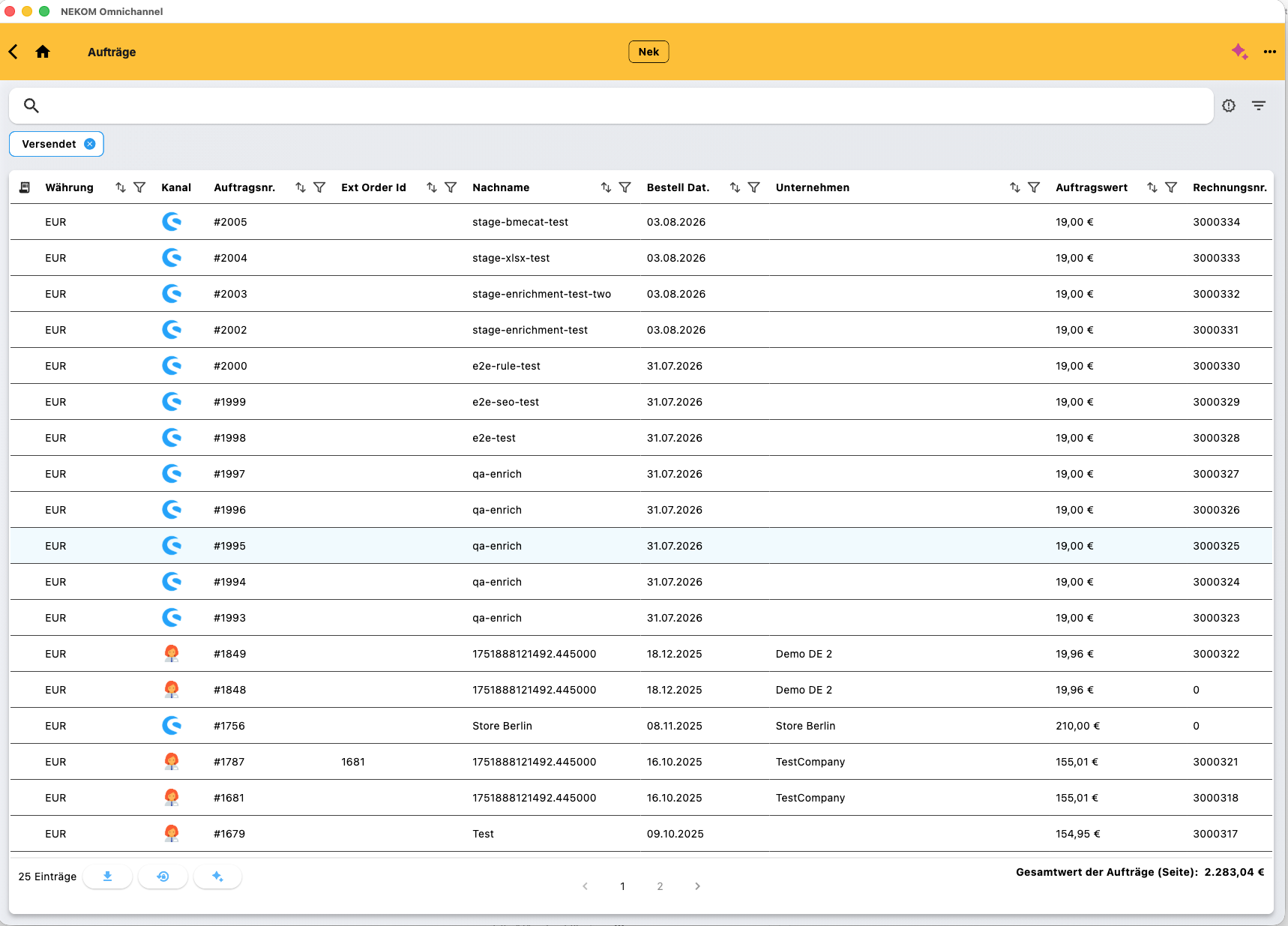
The order overview shows orders from connected channels. Search, filters and sorting support everyday handling. Status and references provide operational context.

Legacy ERP Integration
The storefront is ready. Pricing, inventory and orders are not. NEKOM connects existing ERP systems to commerce with clear operational handovers.
UX and checkout are ready and products are in the store. But the connection to the established ERP holds the project back. Business questions and technical dependencies surface just before the intended launch.
Discuss Your Use CaseTHE CHALLENGE
UX and checkout are ready and products are in the store. But the connection to the established ERP holds the project back. Business questions and technical dependencies surface just before the intended launch.
WHEN DATA TRANSFER ALONE IS NOT ENOUGH
A standard connector can suit clearly defined data transfers. Complexity grows when the source system has special rules, APIs are missing or teams interpret business logic differently. The project then needs a shared process model and clear ownership.
HOW NEKOM CONNECTS THE WORKFLOW
NEKOM forms the operational layer between commerce and the existing ERP. Supported configuration and mapping tasks can be handled within the agreed partner scope. Data ownership, handovers and failure scenarios are defined together. Actual effort depends on ERP interfaces and business requirements; not every ERP can be connected without development.
A COMMON BOTTLENECK
Unclear interfaces and ownership can hold the project back.
WITH NEKOM
Conceptual diagram. Configuration, interfaces and supported workflows are agreed for each project.
THE ACTUAL PRODUCT
Authentic NEKOM application views. The visible information is test data. These views illustrate general functions, not a named customer’s production system.
NEKOM OMS
The order overview shows orders from connected channels. Search, filters and sorting support everyday handling. Status and references provide operational context.
NEKOM OMS
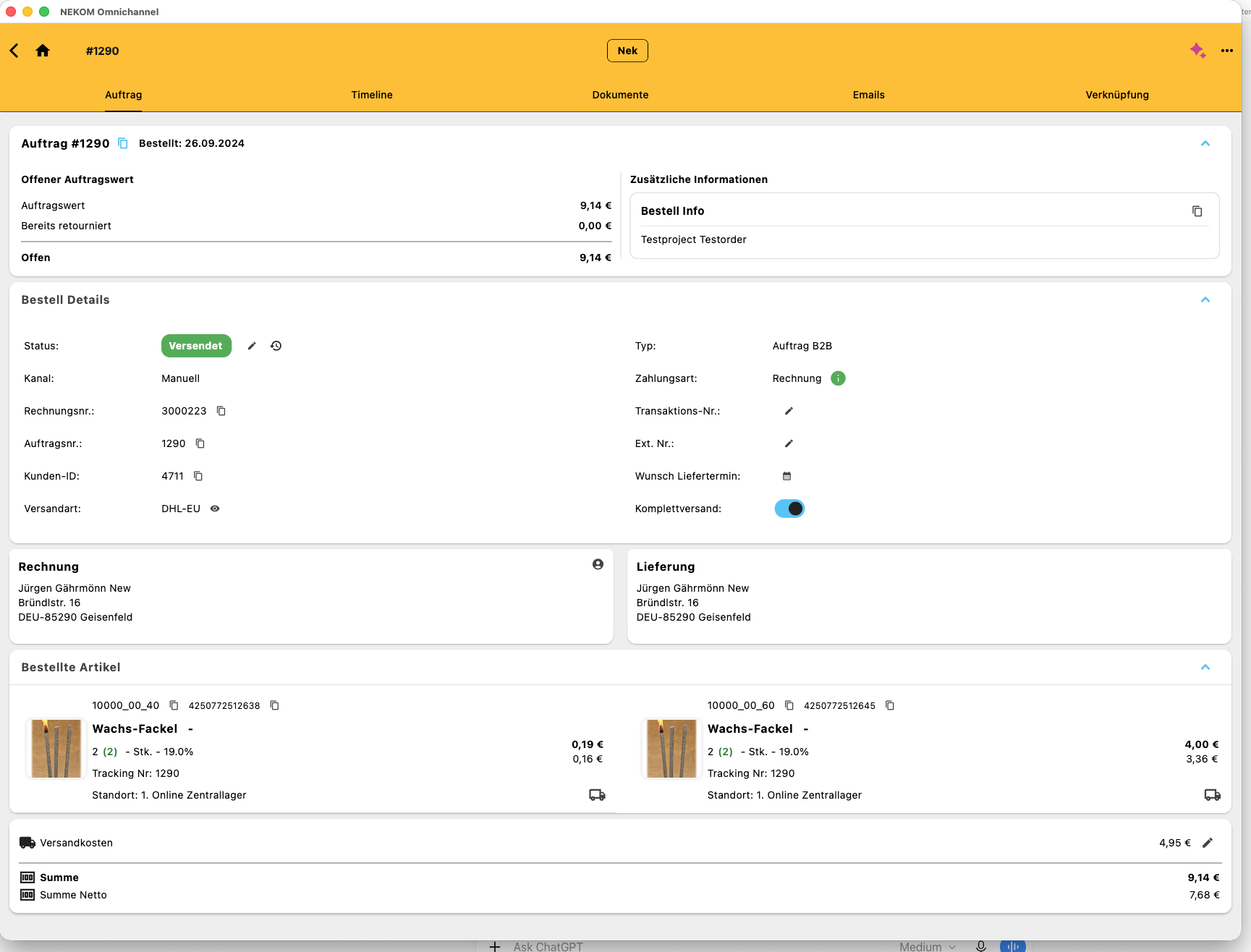
The detail view brings together status, order items, customer context, billing and delivery information. It illustrates operational handling after an order reaches NEKOM.
OPERATIONAL VALUE
Handle more supported integration and configuration work yourselves while NEKOM provides the underlying operations platform. Mapping, interface and test responsibilities are agreed for the project.
PLATFORM & INTEGRATIONS
Process orders from different channels centrally and connect them to ERP, warehouse and service.
02Create a technical connection between enterprise systems and operational processes.
03Prepare inventory from existing ERP, supplier and POS systems for digital sales channels.
CUSTOMER EVIDENCE & CONTEXT
Paul Wiegand demonstrates a BigCommerce storefront working with ERP-managed contract prices, availability and orders through NEKOM. SHOPMACHER owns frontend and UX.
Explore customer storiesBring ERP-managed contract pricing, customer groups and availability into commerce.
02Organise attributes, variants, content and translations for every channel.
03Connect Shopify to inventory sources, suppliers and operational rules.
FOR BUSINESSES
Discuss your systems, responsibilities and the most useful first workflow with us.
Discuss Your ProjectFOR AGENCIES
Your commerce expertise and our operations platform: let’s define the right way to work together on your client project.
Become a Partner